

Overview
Connect QuickBooks Online to Vero and your itemized sales receipts sync as they are recorded. That data powers Pricing Intelligence and Customer Insights. Setup takes less than a minute.Digital receipts come included. Once QuickBooks Online is connected, Vero also sends an encrypted, itemized copy of each receipt to your customers’ banking apps. Customers recognize the charge, which means fewer chargebacks and friendly fraud disputes. Learn more.
Quick Start
1
Log In to Your Dashboard

Open the Vero Integrations Page
Log in to your Vero merchant dashboard and go to Integrations.
2
Connect QuickBooks
Find the QuickBooks card and click Connect QuickBooks. This starts the Intuit sign-in flow.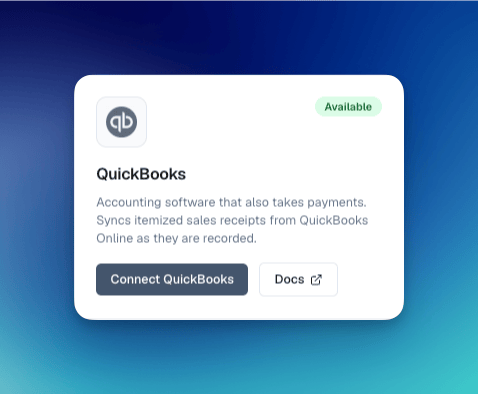
3
Authorize Vero in Intuit
Sign in to your Intuit account if prompted, confirm the QuickBooks Online company you want to connect, and click Connect. Repeat for each company you want to connect.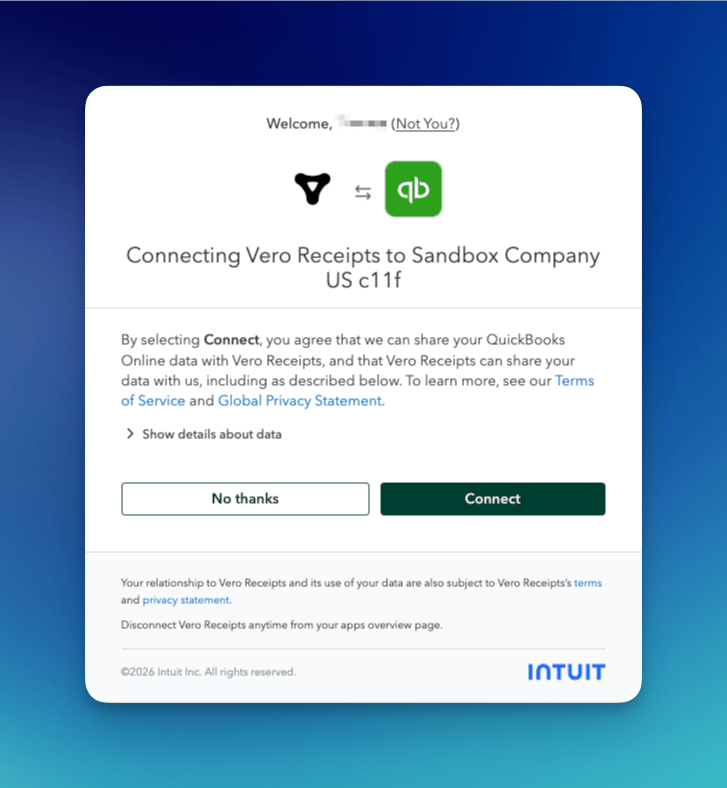
4
Start Sending Receipts
That’s it. Intuit returns you to your Vero dashboard, and your sales start syncing to Vero.
Privacy & Security
Your transaction data is never exposed. All receipt data is encrypted using RSA-2048 encryption before it is delivered. Only your customers hold the private keys to decrypt their own receipts.- Vero cannot read your transaction data
- Banks cannot read your transaction data
- Only the customer who made the purchase can decrypt their receipt
FAQ
Does this cost anything?
Does this cost anything?
No. Connecting your POS is free on the Starter plan, with no hardware and no contract. Starter includes Pricing Intelligence and digital receipts. AI Builder and Customer Insights come with the Custom plan. See pricing.
Do digital receipts replace my QuickBooks receipts?
Do digital receipts replace my QuickBooks receipts?
No. Vero receipts are in addition to the receipts you already send from QuickBooks. Vero sends an encrypted copy to the customer’s bank.
Can I disconnect at any time?
Can I disconnect at any time?
Yes. Disconnect from the Integrations page of your Vero merchant dashboard. You can also disconnect Vero Receipts from the apps overview page in QuickBooks Online.